January 30th, 2024
New
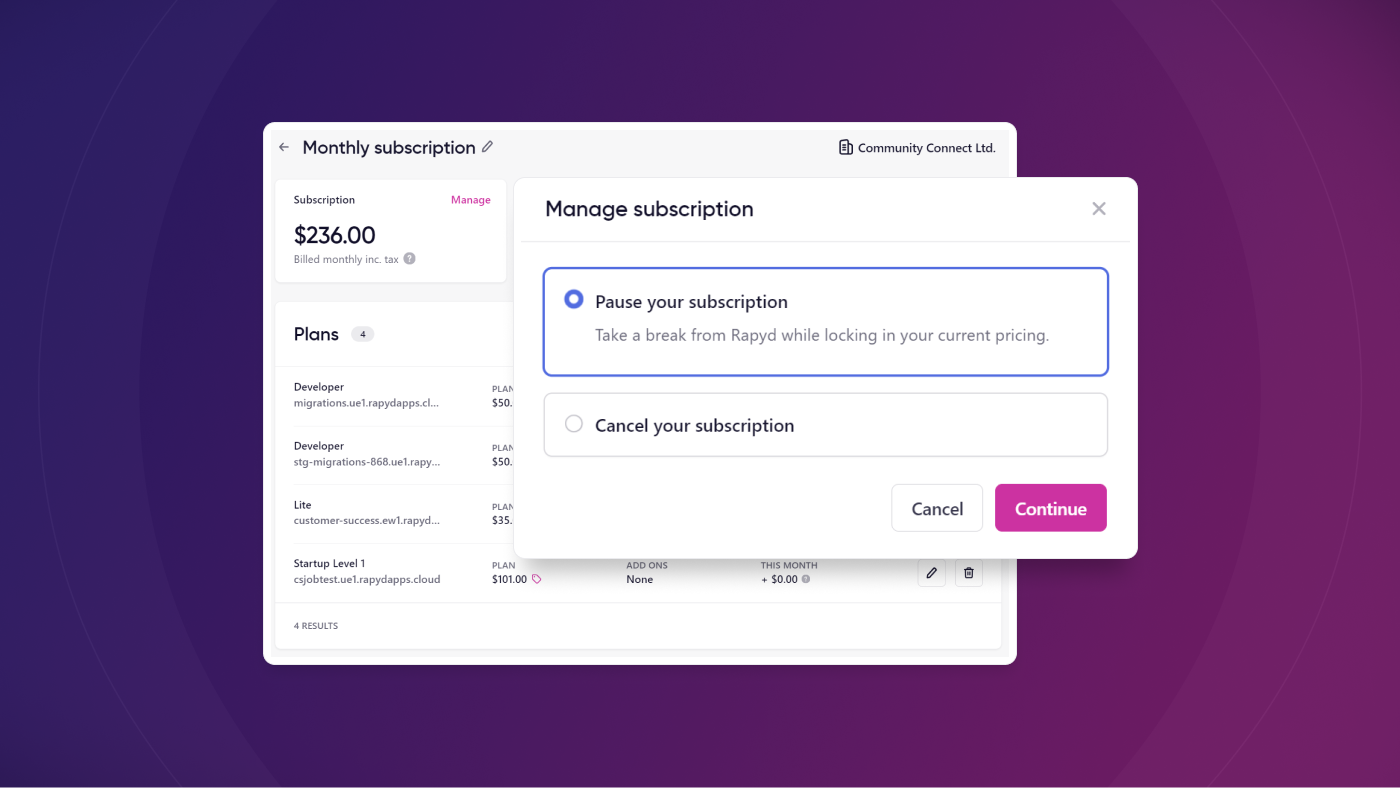
We've just made managing your Rapyd subscription almost too easy
Say goodbye to reaching out to our support team every time you want to make a change to your Rapyd subscriptions. Now you have the power.
What's New?
We have added the ability for users with billing manager privileges to pause and cancel subscriptions from the Rapyd dashboard. You can either pause your subscription or cancel it.
Pause Subscription
This feature allows you sign up for Rapyd, then pause your subscription for up to 6 months. Whenever you restart your subscription, your billing date will reset according to the pause duration. You can pause your subscription multiple times as long as the total time paused is less than 6 months. This applies both to monthly and yearly subscriptions.
Cancel Subscription 😢
We get it, things happen. If you choose to cancel, please share details with us at success@rapyd.cloud. Any and all feedback is super important!
How It Works
You can pause or cancel your subscription by going to the Billing area of the dashboard. From there, click into the subscription that you want to manage, and at the top left of the subscription screen you'll see a button that says Manage. This button opens a modal that walks you through the pause/cancellation process.
Keep in mind that your subscription cannot have any active sites in it if you want to pause or cancel. See the links below for guides on how to download backups of your sites before removing them.
Learn More
The following knowledge base articles might be helpful if you choose to pause or cancel a subscription: