January 26th, 2024
New
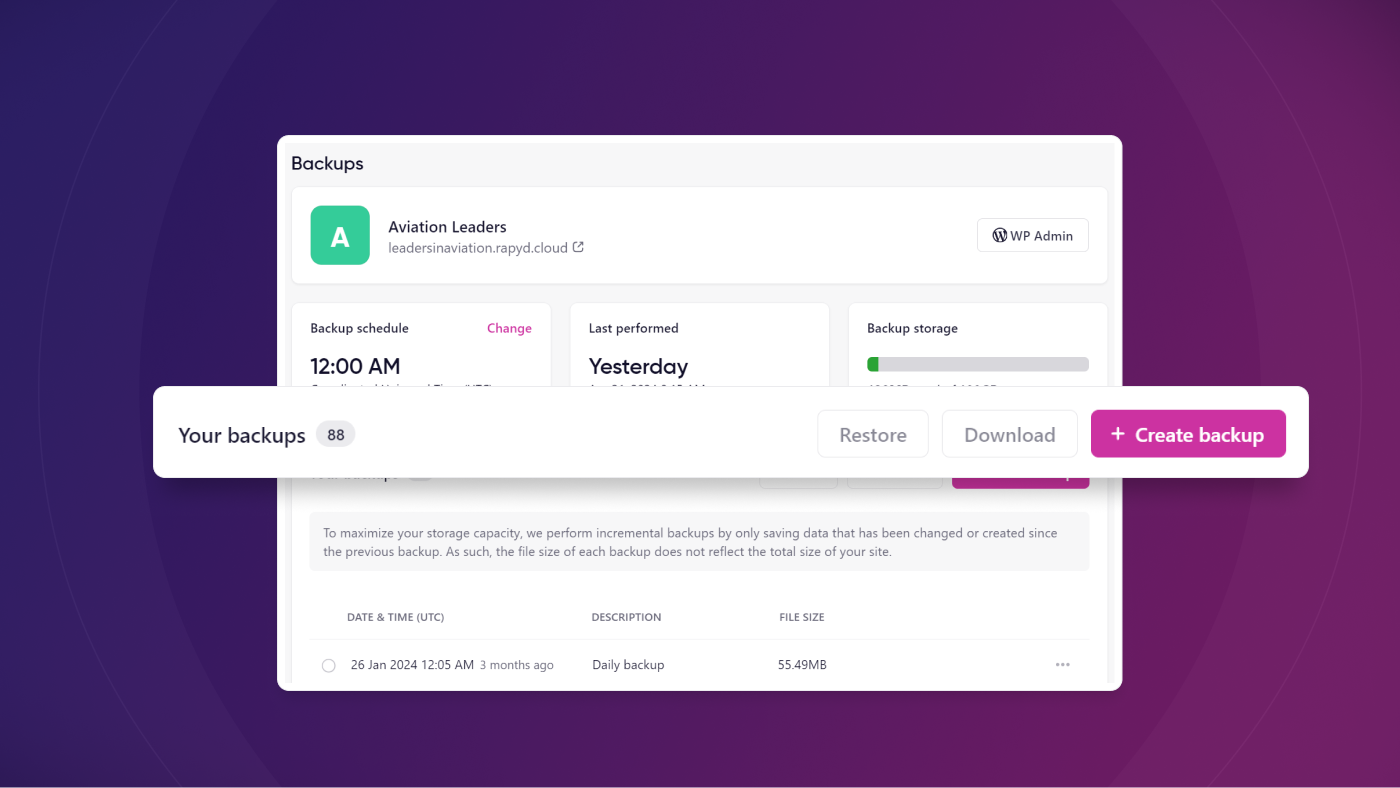
Take complete control over your backups with our dashboard's new Backups area
Our platform has always been backing up your sites daily, but it didn't give you the control you needed over scheduling, manual creation, downloads, and restore. That is no longer the case with our new Backups area.
What's New?
There is now a dedicated area in the Rapyd dashboard for managing backups. This backups management area includes options for:
Backup schedule
You can now change the time when automatic daily backups are taken. This is important because it allows you to schedule your site's backups during off-peak times to reduce load on your server.
Last performed
Keep an eye on when your last site backup was taken.
Backup storage
Our backups are stored off-site, so there is no impact on your site's disk space. Our backups are also incremental, so the initial backup stores a copy of your entire site, then each subsequent backup only records changes that have taken place since the last backup.
Create manual backups
Take backups of your site whenever you need to. This is a best practice before making any major changes to your website.
Download backups
If you want to download any of those off-site backups, you now have the option to generate a download link. Once created, a backup download link will be live for 24 hours.
Restore backup
We've added this to the UI because it will be available soon, but it's currently not active. If you want to restore a backup, you can contact our support team for assistance.
Learn More
We've created a knowledge base article that goes into more detail on our backups system. Check it out here: Introduction to Backups on the Rapyd Dashboard